












Lead Connect

Speed to lead: call every web enquiry while it is still warm

When someone fills in a form on your site, ResponseiQ rings your sales team straight away with the form details in front of them, then connects them to the lead.

One of four ResponseiQ products, with Callback Widget, Call Tracking and Lead Campaigns, which lives inside Lead Connect: one subscription, one credit pool, one dashboard.

Start free trial

Native HubSpot and Salesforce connections. Uses the phones your team already has.

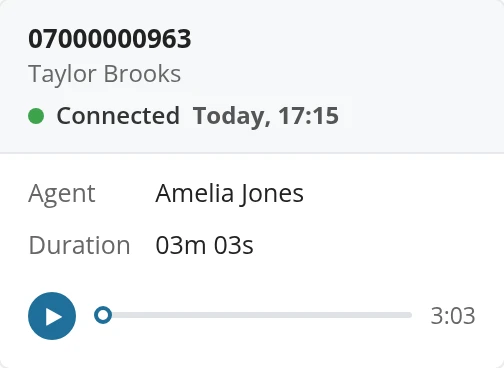
A connected call in ResponseiQ Call Reports from Taylor Brooks today at 17:15, with its call recordingThe lead behind the call: Taylor Brooks, phone number, a Booked service tag and location London, United Kingdom
Call Reports: the call, its recording and the lead behind it

Trusted by businesses in travel, insurance, property, removals and more

  • StannahJohn Charcol
  • learndirectwebuyanyhouse.co.uk
  • AmtrakKuoni
  • easigrassCelestyal Cruises
  • PickfordsStoragePal
  • Travel CenterSimply Eco
  • Miles & BarrPEMCO Insurance
  • AnyVanCapify
  • moneypennyDiamonds Factory
  • first4lawyersAcorn Insurance

How it works

From a form on your site to a call with your team

The quicker you call an enquiry back, the more likely they are to still be interested. Lead Connect makes the call happen straight away.

  1. A lead fills in a form

    On your website, or from a third-party lead source you send to ResponseiQ.

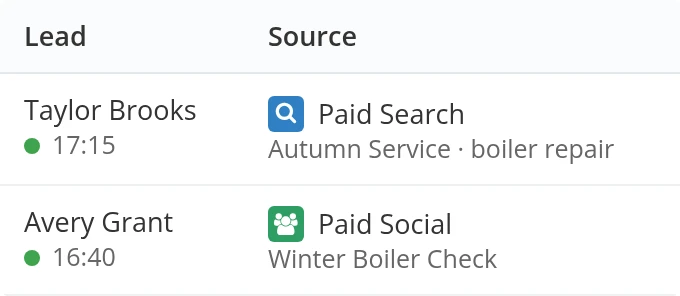
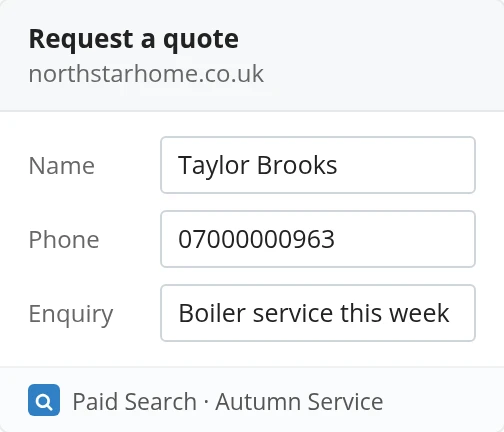
    A Request a quote form on northstarhome.co.uk: Taylor Brooks, 07000000963, Boiler service this week, from Paid Search, Autumn Service
  2. We ring your sales team

    ResponseiQ calls your agents straight away and reads them the key form details.

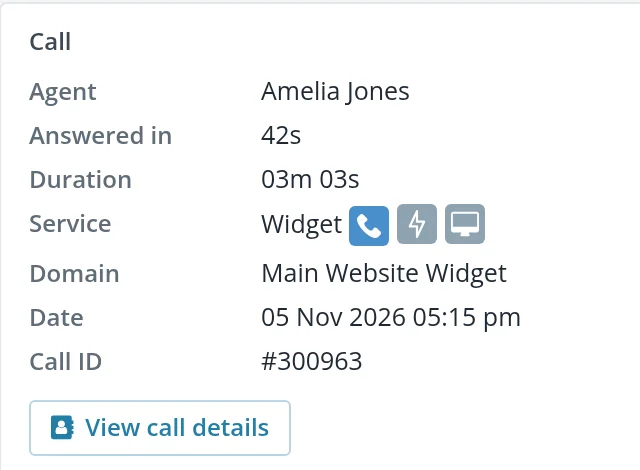
    The call record in ResponseiQ: the agent, Amelia Jones, and the lead behind the call
  3. Your agent reviews the enquiry

    They see a copy of the form before they press 1 to connect.

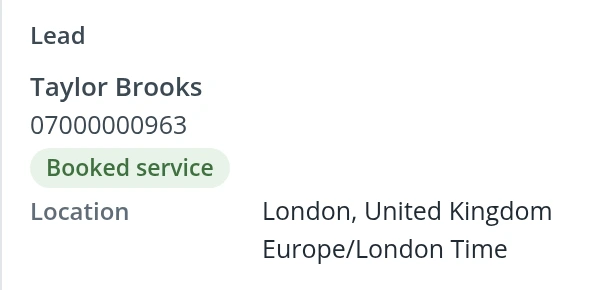
    The lead: Taylor Brooks, phone number, a Booked service tag and location
  4. Agent and lead are connected

    After your agent answers and presses 1, ResponseiQ calls the lead and connects them to your team. The call is recorded and reported.

    The connected call: Taylor Brooks, 07000000963, today at 17:15, agent Amelia Jones, 03m 03s, with its recording

Agents see the enquiry before they press 1

Every call opens with what the lead asked for, so your team starts the conversation where the form left off.

  • The completed web form
  • The lead's phone number
  • The lead source, if you use third parties to generate leads
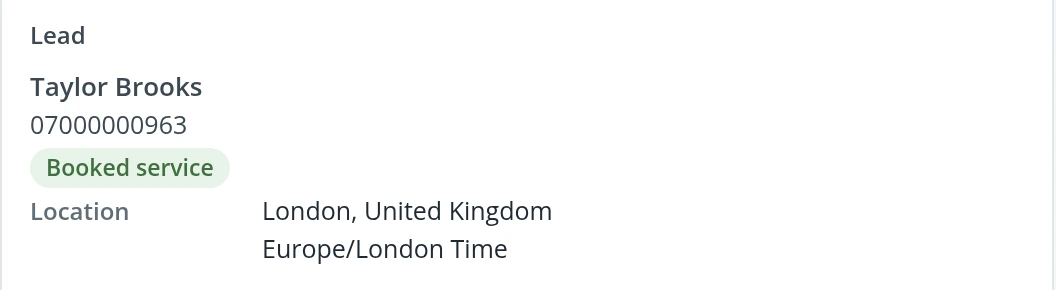
The lead in ResponseiQ: Taylor Brooks, phone number, a Booked service tag and location London, United Kingdom
Call Reports: the lead behind the call
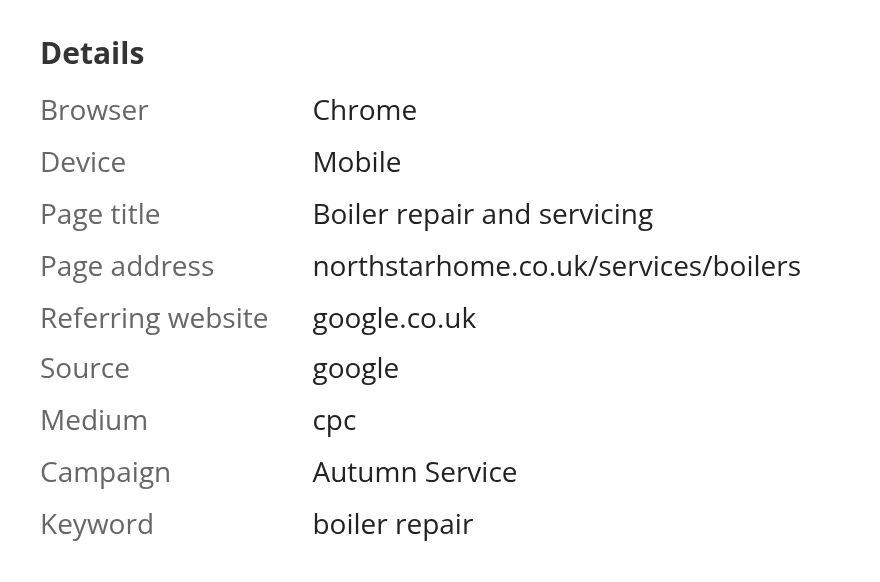
Every enquiry is logged with where it came from

Calls from forms sit in the same reports as your widget and tracked calls, with the page, referrer, source and medium of each visit.

  • Recording on every connected call
  • Page, referrer, source and medium of the visit
  • Reports and CSV export
The visit behind a call in ResponseiQ: Chrome on mobile, page Boiler repair and servicing at northstarhome.co.uk/services/boilers, referred by google.co.uk, source google, medium cpc, campaign Autumn Service, keyword boiler repair
Call details: the visit behind the call

Native HubSpot and Salesforce lead calling

Lead Connect takes enquiries from your website forms and from third-party lead sources, and connects natively with HubSpot and Salesforce. Calls ring the phones your team already has.

  • Native HubSpot and Salesforce connections
  • Website forms and third-party lead sources
  • No new phone system to install
  • Website forms
  • Third-party lead sources
  • HubSpot
  • Salesforce
  • Your team’s phones
Lead Connect: enquiries in from your forms and lead sources, out to HubSpot, Salesforce and your phones

Customer video

Cruise.co.uk: every web enquiry called while it is warm

50% “Our webform contact rate doubled from 25% to over 50%”

“It’s critical really, because without them we don’t sell anything.”

In the videoShane ParkerSales Operations Director, Cruise.co.uk

Lead Campaigns

Call or text a whole list of leads, on your schedule

Lead Campaigns is the fourth ResponseiQ product, and it lives inside Lead Connect. Upload your leads as a CSV and choose a campaign type: a call campaign rings your team and connects each lead in turn; an SMS campaign texts every lead and brings their replies back to your team.

  1. 01Callback WidgetVisitors ask for a call
  2. 02Lead ConnectCall form enquiries fast
  3. 03Call TrackingSee which marketing worked
  4. 04Lead CampaignsInside Lead Connect
Lead Campaigns in ResponseiQ: Boiler service reminders (calls, 2 minutes apart) and Winter Boiler Check (SMS, 10 per minute) processing, Quote follow-ups scheduled, Spring service list paused, Autumn Service enquiries completed, each with Delete, Pause or Resume and View Calls
Lead Campaigns: every call and SMS campaign, with its interval, status and controls
  • Pause and resumePause a campaign if your team gets more calls than expected; resuming schedules the cancelled calls again.
  • Check duplicate leadSkip numbers already called or texted in the last X days.
  • View callsJump to the campaign's calls in Call Reports, with the data imported from the CSV.

Call campaigns

An auto-dialer for your lead lists

A call campaign works down your list for you. ResponseiQ rings your team, then connects each lead, one call at a time, through the same call flow and credits as Lead Connect.

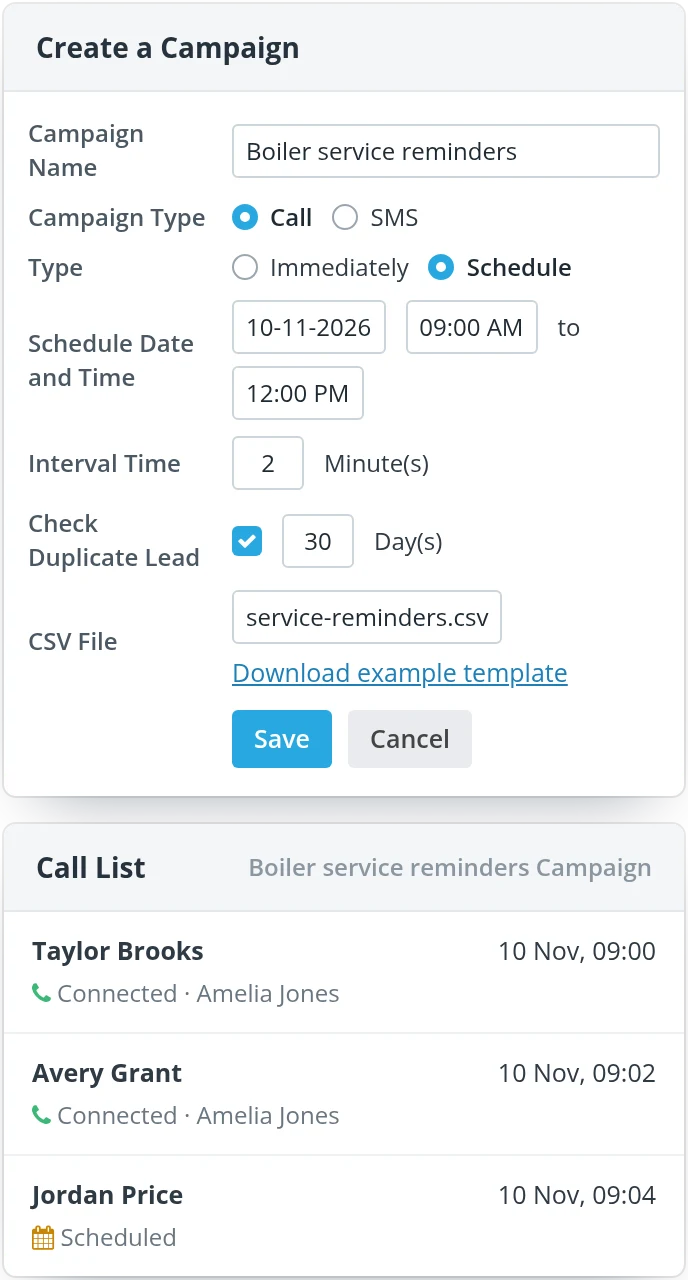
  • Start straight away, or schedule a date, start time and optional end time within your company hours
  • Choose 1 to 60 minutes between calls
  • Give each lead a preferred date in the CSV, using the example template
Create a Campaign: Boiler service reminders, campaign type Call, scheduled 10-11-2026 from 09:00 AM to 12:00 PM, 2 minutes between calls, duplicate check 30 days, CSV service-reminders.csv; beside it, its Call List: Taylor Brooks and Avery Grant connected with Amelia Jones, Jordan Price and Morgan Ellis scheduled
A scheduled call campaign, and the calls it has placed so far

SMS campaigns

Texts that turn into conversations

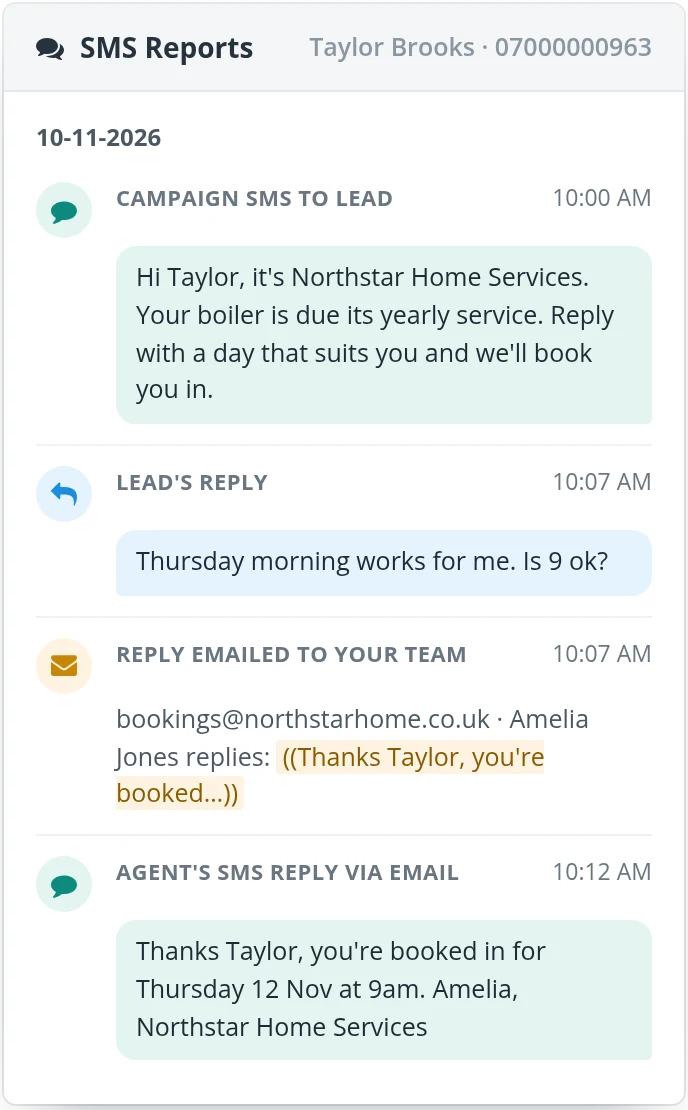
An SMS campaign texts every lead on the list from an SMS template, personalised with tags such as [Name] and [Company Name]. When a lead replies, the reply goes to the email address you choose. Your agent answers by replying to that email, and the lead gets the answer as a text.

  • Preview each message with its character count and credits
  • Send them all at once, or a set number per minute
  • Every conversation is logged in SMS Reports, with filters and CSV export
An SMS template, Winter Boiler Check, with [Name] and [Company Name] tags, 125 of 480 characters, 1 credit, and its phone preview; beside it, Taylor Brooks's thread in SMS Reports: the campaign text, Taylor's reply, the reply emailed to the team, and Amelia Jones's answer sent back as a text
From SMS template to SMS Reports: one lead, start to finish

A free setup session is included

When you start, one of our product experts sets Lead Connect up with you, so it works the way your team works. There is no obligation to buy after your trial. Pick a time for your demo here.

Book your setup call

Enter your work email, then pick a time that suits you.

Prefer email? Write to hello@responseiq.com

Included with every product

  • Call recording
  • Alerts
  • Customer timelines
  • Reports and CSV export
  • Unlimited agents and domains
  • Free setup session

Questions

Questions buyers ask

What is speed to lead?

Speed to lead is how quickly you call a new enquiry back. The sooner you call, the more likely the lead still wants to talk. Lead Connect rings your sales team the moment a web form is submitted, with the form details in front of them, then connects them to the lead.

Which CRMs does Lead Connect work with?

Lead Connect connects natively with HubSpot and Salesforce, so new enquiries in your CRM can be called straight away and the calls are logged against them.

What is Lead Campaigns?

Lead Campaigns is the fourth ResponseiQ product and lives inside Lead Connect. Upload a list of leads as a CSV: a call campaign rings your team and connects each lead in turn, and an SMS campaign texts every lead and brings their replies back to your team. It uses the same credits as Lead Connect (see pricing).

Is ResponseiQ an AI tool or a call centre?

No. ResponseiQ is not an AI product, a chat tool or a contact centre. Calls follow rules you set, such as your opening hours and which agents to ring, and they ring the phones your team already uses.

Request a demo

Book a call. We will show you the Callback Widget, Lead Connect, Call Tracking and Lead Campaigns on your own site.

Book a ResponseiQ demo

Enter your work email, then pick a time that suits you.

Prefer email? Write to hello@responseiq.com