













Callback Widget

Website callback widget: turn visitors into live calls

Add a Call Me Back button to your site. A visitor leaves their number, ResponseiQ rings your team straight away, tells the agent who is waiting and what they were looking at, then connects the call.

One of four ResponseiQ products, with Lead Connect, Call Tracking and Lead Campaigns: one subscription, one credit pool, one dashboard.

Start free trial

Set up in about 15 minutes, with a free setup session

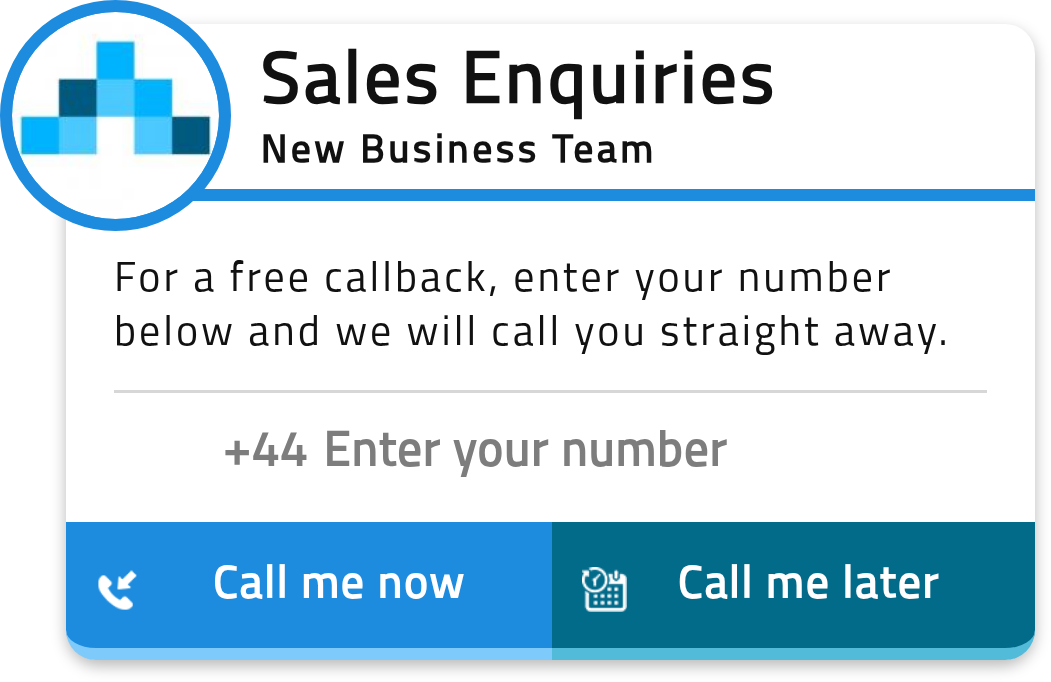
The ResponseiQ Callback Widget in hours: Sales Enquiries, New Business Team, asking for a number, with Call me now and Call me later buttons
Callback Widget example: a visitor asks for a call now, in your colours
  • Up to 24% more inbound calls

  • About 15 minutes to set up, with a free session

  • 13 languages in the Callback Widget

Trusted by businesses in travel, insurance, property, removals and more

  • StannahJohn Charcol
  • learndirectwebuyanyhouse.co.uk
  • AmtrakKuoni
  • easigrassCelestyal Cruises
  • PickfordsStoragePal
  • Travel CenterSimply Eco
  • Miles & BarrPEMCO Insurance
  • AnyVanCapify
  • moneypennyDiamonds Factory
  • first4lawyersAcorn Insurance

How it works

From a click on your site to a call with your team

Visitors who would rather talk than type get a call. Your team is rung first, so the visitor is put through to an agent who is ready to talk.

  1. A visitor asks for a call

    They leave their number in the widget and choose a call now, or a day and time that suits them.

    The Callback Widget: a visitor enters their number and chooses Call me now or Call me later
  2. We ring your team first

    ResponseiQ calls your agents straight away and tells them who is waiting and which page they are on. The agent presses 1 to connect.

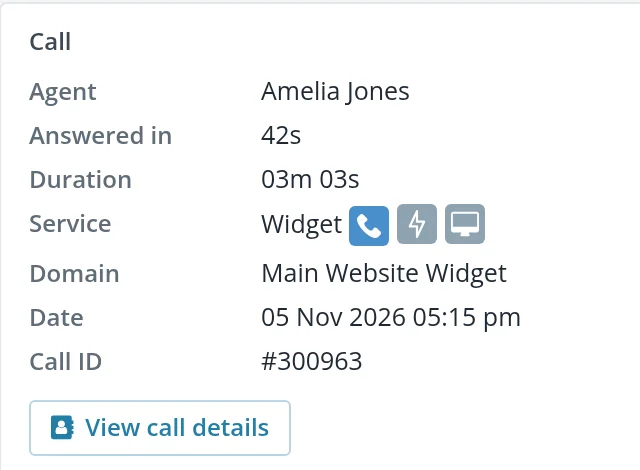
    The call record in ResponseiQ: the agent, Amelia Jones, and the visitor behind the call
  3. The call connects and is logged

    The call is recorded and reported with the source, campaign and keyword that brought the visitor in.

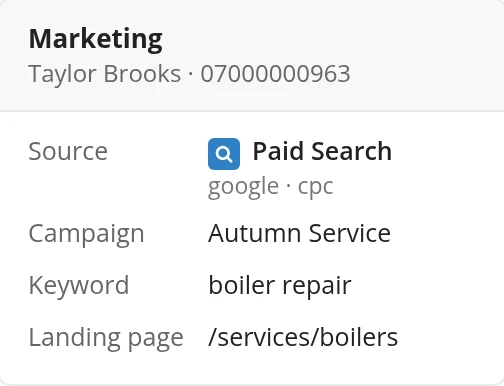
    The marketing behind a call: source Paid Search (google, cpc), campaign Autumn Service, keyword boiler repair, landing page /services/boilers

Your agent knows who is calling before they say hello

Every call arrives with the lead's details, so your team can open with the right offer instead of a list of questions.

  • The product or service page the visitor was looking at
  • Where they came from: Google, Facebook or organic search
  • The keyword they searched, if they came from a paid campaign
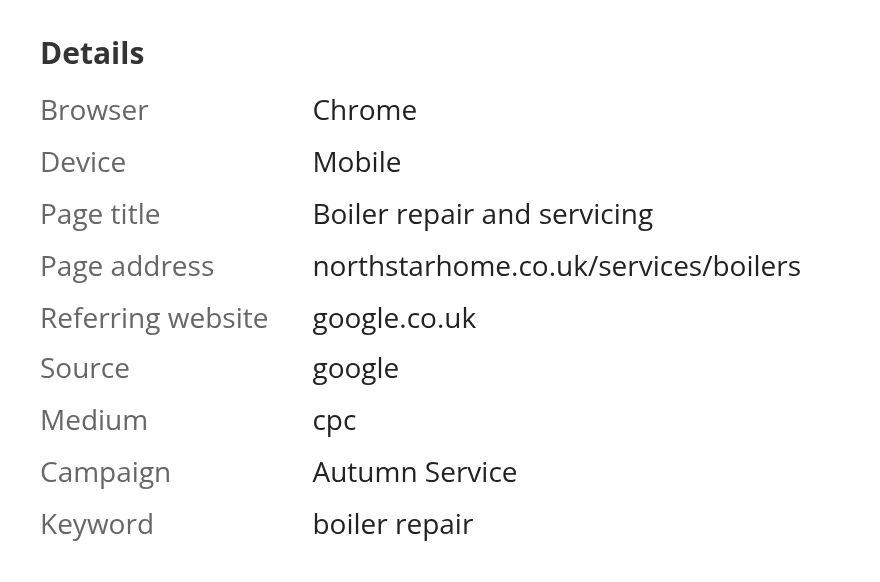
The visit behind a call in ResponseiQ: Chrome on mobile, page Boiler repair and servicing at northstarhome.co.uk/services/boilers, referred by google.co.uk, source google, medium cpc, campaign Autumn Service, keyword boiler repair
Call details: the page, source and medium behind the call
A call now, or later at a time that suits them

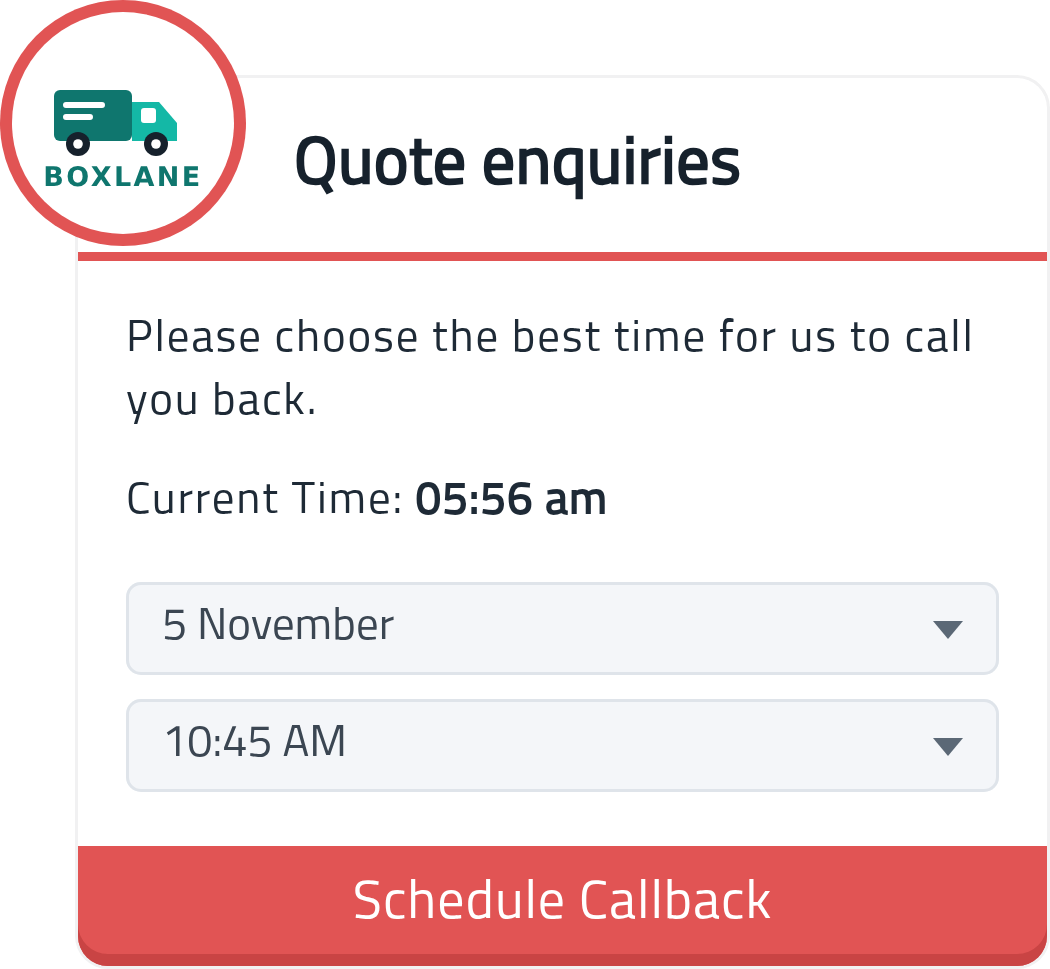
Visitors pick a call straight away, or a day and time. Out of hours, requests become scheduled callbacks your team picks up first thing.

  • Scheduled and out-of-hours callbacks
  • Your colours, words and position on the page
  • Works in 13 languages
The ResponseiQ Callback Widget asking a visitor to choose the best day and time for a callback, with a Schedule Callback button
Callback Widget example: the visitor picks a day and time

Every request accounted for

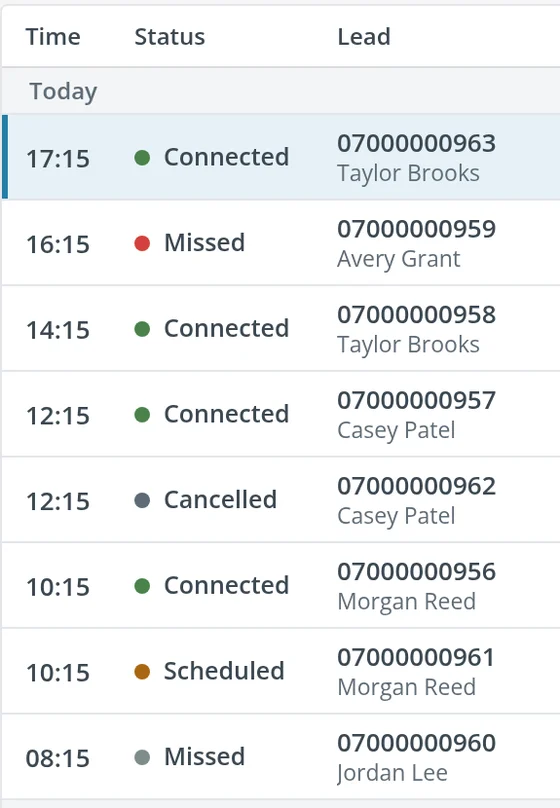
Connected, missed, cancelled and scheduled calls sit in one list, so you can see what happened to every visitor who asked for a call.

  • Status for every request
  • Call recordings to review and coach from
  • Reports and CSV export
ResponseiQ Call Reports for today: connected, missed, cancelled and scheduled calls with each lead's name and number
Call Reports: today's requests and what happened to each

See which campaigns bring the calls

ResponseiQ feeds Google Analytics, so the calls your widget brings in count alongside the rest of your marketing.

  • Source, campaign and keyword logged with tracked calls
  • Feeds Google Analytics, Google Ads and Bing Ads
  • Works alongside your chat widget
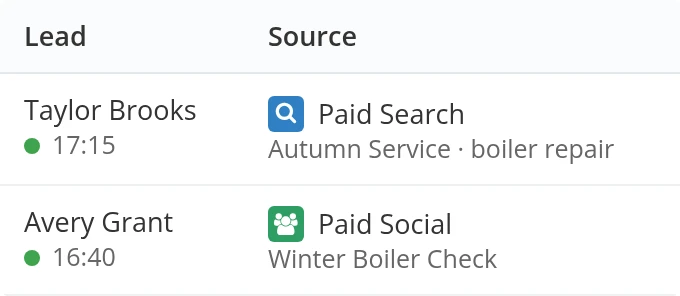
ResponseiQ Call Reports: today's callers, each with the source, campaign and keyword behind the call
Call Reports: every caller with the source, campaign and keyword behind the call

Customer video

Ocean Holidays: more calls to the call centre

24% more calls to the call centre in the first year

“In the first year of using ResponseiQ, we increased our call volume in our call centre by 24%.”

In the videoSabrina HamiltonHead of Marketing, Ocean Holidays

Industries

Built for businesses that sell by phone

Travel, insurance, finance, legal, removals, property and B2B services teams use the Callback Widget to talk to more of their visitors.

A free setup session is included

When you start, one of our product experts sets the widget up with you, so it works the way your team works. There is no obligation to buy after your trial. Pick a time for your demo here.

Book your setup call

Enter your work email, then pick a time that suits you.

Prefer email? Write to hello@responseiq.com

Included with every product

  • Call recording
  • Alerts
  • Customer timelines
  • Reports and CSV export
  • Unlimited agents and domains
  • Free setup session
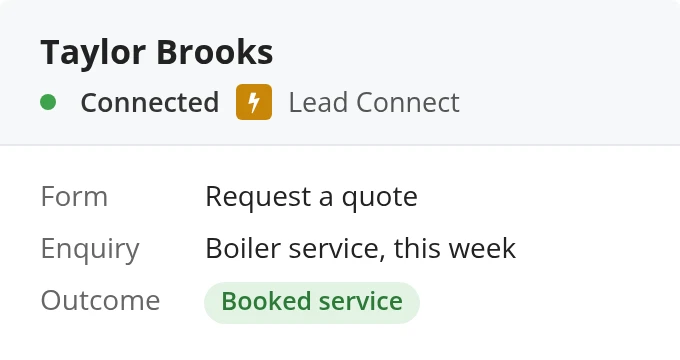
  • A connected Lead Connect call from Taylor Brooks with the form details: form Request a quote, enquiry Boiler service this week, outcome Booked serviceLead ConnectWhen someone submits your web form, we call your sales team straight away with the form details. Connects natively with HubSpot and Salesforce.
  • Call Reports: two connected calls with their source and campaign: Paid Search, Autumn Service, boiler repair; Paid Social, Winter Boiler CheckCall TrackingTracking numbers tie inbound calls to the campaign, keyword and page behind it.
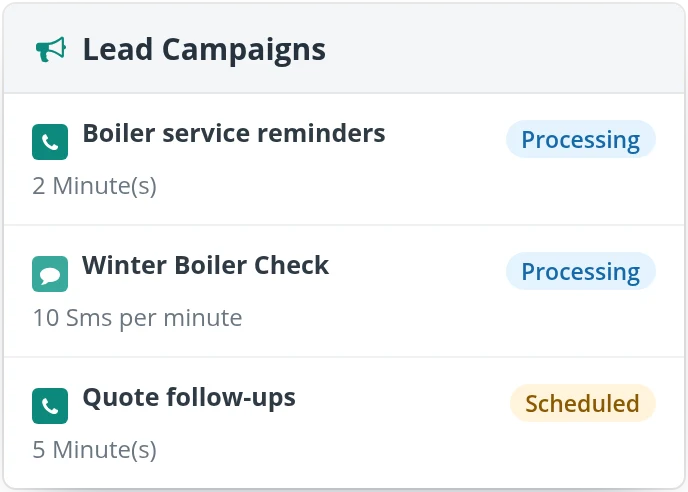
  • Lead Campaigns: Boiler service reminders and Winter Boiler Check processing, Quote follow-ups scheduledLead CampaignsUpload a list of leads as a CSV: ResponseiQ calls them one by one through your team, or texts them and passes their replies to you.

Questions

Questions buyers ask

What is a website callback widget?

A callback widget is a Call Me Back button on your website. A visitor leaves their number and asks for a call now or at a time that suits them; ResponseiQ rings your team first, tells the agent who is waiting and which page they were on, then connects the call.

What happens when a visitor asks for a call out of hours?

Out of hours, requests become scheduled callbacks that your team picks up first thing. Visitors can also pick a day and time that suits them, and ResponseiQ rings your team then, before connecting the visitor.

How many more calls can the Callback Widget bring in?

Businesses using the Callback Widget get up to 24% more inbound calls. That is an upper figure, not a guarantee: how many more you get depends on your traffic and how quickly your team answers.

How quickly does ResponseiQ connect a lead to my team?

ResponseiQ rings your team straight away. Your agent answers, hears who the lead is and what they asked about, and presses 1; ResponseiQ then calls the lead and connects them. How long that takes depends on your agent answering, so we never promise a fixed number of seconds.

How long does setup take?

About 15 minutes. Every plan includes a free setup session with one of our product experts, and setup support is free.

Request a demo

Book a call. We will show you the Callback Widget, Lead Connect, Call Tracking and Lead Campaigns on your own site.

Book a ResponseiQ demo

Enter your work email, then pick a time that suits you.

Prefer email? Write to hello@responseiq.com